Why AI-Generated UI Fails in Production When Prototypes Become Real Products
AI-generated UI often looks production-ready but breaks the moment engineering gets involved. In this article, Igor explains why AI prototypes fail in real products, where the gaps appear, and how teams can use AI without creating technical debt.
The AI-generated mockup looked production-ready. The colors were perfect, the layout was clean, and stakeholders were already celebrating. Then engineering opened the files and found nothing they could actually build with.
This is the prototype-to-production gap that catches teams off guard. AI tools optimize for visual polish, not the underlying architecture that real products require. What follows is a breakdown of why this happens, where the failures show up, and how to use AI prototyping without setting your engineering team up for disaster.
The gap between AI prototypes and real products
The demo looked perfect. Then engineering opened the codebase.
AI-generated UI prototypes often fail to become real products because they lack human empathy, real-world context, and architectural grounding. The screens look finished. The flows seem logical. But underneath, there's nothing that can actually ship.
At MOP, we've watched this moment unfold dozens of times. A founder shows us a polished AI-generated mockup. Everyone's excited. Then the engineering team takes a closer look, and the excitement fades.
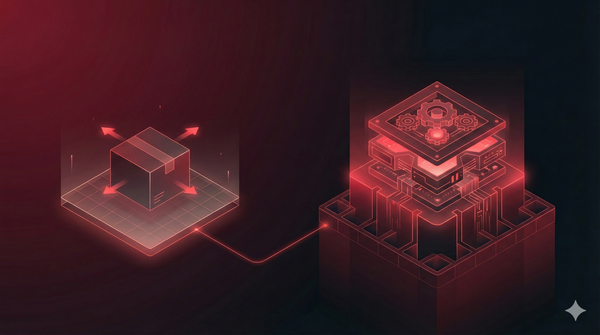
Here's the core distinction: a prototype is a visual concept, something that communicates an idea. A production-ready product is a functional, scalable, and maintainable system that real users depend on daily. AI tools optimize for the first. They have no understanding of the second.
Why AI-generated UI looks complete but cannot ship
AI creates the illusion of completeness. The screens look finished, but they lack the underlying structure real products require. AI generates flat visual layers, essentially just pixels arranged nicely. A component architecture is a system of reusable, modular building blocks that engineering teams use to build software efficiently. Think of it like LEGO bricks versus a solid sculpture. One can be reconfigured and extended. The other cannot. Engineering teams face massive refactoring work to turn that static image into a functional system with proper components, props, and logic. What looked like a shortcut becomes a longer path.
Instead of using a systematic approach, AI generates hardcoded values. Design tokens are standardized, named values for foundational design properties like colors, spacing, and typography. You'll see #333333 instead of color-text-primary. Why does this matter? Future updates become painful. Theme changes require hunting through every file. Visual consistency at scale becomes nearly impossible to maintain. What seemed fast at first slows everything down later.
AI shows static screens but doesn't account for the dozens of interaction scenarios a real product requires. Loading states show users what happens while data fetches from the server. Error states handle how the UI responds when something fails unexpectedly. Empty states appear when there's no content yet. Hover and focus states provide visual feedback for mouse and keyboard interactions. One thing we've learned building 100+ products: the "invisible" states often determine whether users trust your product or abandon it. AI skips all of them.
What AI fundamentally lacks for production UI
The breakage isn't just about flawed outputs. It's rooted in AI's core limitations and a fundamental misunderstanding of what a product actually is. AI operates on pattern matching, which means recognizing and replicating visual patterns from its vast training data.
It cannot perform empathetic design, which requires understanding user intent, context, and emotional needs. You might be thinking: but the designs look good, right? They do. Yet they're generic. They fail to connect with users because AI cannot ask "Who is this person? What frustrates them? What would delight them?" AI sees patterns. It doesn't see people.
AI generates individual screens in isolation. It doesn't understand user flows, navigation logic, or how different parts of an application relate to each other. Real products are interconnected systems. A change on one screen ripples through others. AI has no concept of this relationship. It treats each screen as a standalone artifact, which creates confusion when users try to move through the actual product.
AI copies popular design trends without understanding why certain patterns exist. A floating action button might be perfect for one app and completely wrong for another. AI doesn't know the difference. The results look familiar and modern. They often feel hollow and functionally misplaced. Style without substance doesn't ship.

How AI-generated UI breaks in real development
Here's what engineering and QA teams actually encounter when trying to turn an AI prototype into a real product.
Responsive layouts that collapse on mobile
AI typically generates desktop-first designs that look great on a large monitor. On smaller screens, they completely break.
True responsive behavior requires intentional logic for different breakpoints and screen sizes. AI doesn't provide this logic. It provides a single viewport that happens to look nice at one specific dimension. The first time someone opens it on their phone, the illusion shatters.
Accessibility failures that block launch
Accessibility ensures a product is usable by people with disabilities, following standards like WCAG (Web Content Accessibility Guidelines). AI-generated UI routinely fails basic checks.
Common accessibility failures include:
- Color contrast ratios too low for readability
- Missing alt text for images
- Improper heading hierarchy that confuses screen readers
- No keyboard navigation support
Accessibility requirements aren't optional nice-to-haves. In many markets, they're legal requirements that can block a product's launch entirely.
Edge cases and error states never built
QA teams inevitably find dozens of unhandled scenarios. What happens when the network fails? When an API returns an error? When a user enters unexpected input into a form field?
AI doesn't think about edge cases. It generates the happy path and nothing else. Real users, however, don't always follow the happy path.
Code that cannot scale or maintain
The code AI generates might work for a single demo. It becomes technical debt the moment it's created.
| AI-Generated Code | Production-Ready Code |
|---|---|
| Inline styles | Design token system |
| Hardcoded values | Configuration-driven |
| Single-use components | Reusable component library |
| No documentation | Self-documenting patterns |
What looks like progress is actually a foundation that can't support anything built on top of it.
What actually works for AI-assisted UI development
At MOP, we've learned how to use AI effectively without the usual disasters. The key is treating it as a tool, not a replacement for human expertise.
1. Treat AI output as a first draft requiring human review
Never ship AI output directly to production. Use it for ideation and to accelerate the initial design phase. Then have designers and engineers refine every aspect. The human review step is non-negotiable.
AI gets you to 60% faster. Humans get you from 60% to shippable.
2. Define design tokens before AI generation
To prevent the hardcoded-values problem, create your token system first. Constrain AI outputs to use predefined tokens for colors, fonts, and spacing. Consistency becomes built-in rather than retrofitted.
This approach takes more time upfront. It saves significantly more time later.
3. Establish component boundaries as contracts
Before generating anything, define what components exist and how they behave. Specify inputs, outputs, and expected behaviors. This gives AI a structured framework to work within and gives engineering clear expectations.
Think of it as setting the rules before the game starts. Without rules, you get chaos.
4. Enforce quality gates before engineering handoff
Create mandatory checkpoints that all designs pass before engineering begins:
- Accessibility audit: Verify contrast, alt text, and keyboard navigation
- Responsive review: Test across mobile, tablet, and desktop breakpoints
- State coverage check: Confirm loading, error, empty, and success states exist
Quality gates catch problems when they're cheap to fix, not after engineering has built on a broken foundation.
When to use AI prototyping and when to avoid it
AI prototyping isn't inherently bad. Its value depends entirely on context.
For early ideation and concept exploration, these tools excel at generating a wide range of visual directions quickly. Use them in the earliest stages to explore concepts before committing significant resources. Low stakes, high speed.
When it comes to stakeholder demos and proof of concept, these mockups communicate vision effectively to non-technical stakeholders or investors. They make an idea tangible. Just be clear with everyone: the demo is a visual concept, not a functional product.
For rapid prototypes used in user testing, generate quick, disposable prototypes to test core concepts and gather early feedback. The goal is learning, not building a foundation for the final product. Throw it away after you learn what you came to learn.
Production features still require human builders
Anything shipping to real users requires human designers and engineers. For scalable, accessible, and maintainable features, there's no shortcut.
| Use AI Prototyping For | Avoid AI Prototyping For |
|---|---|
| Early concept exploration | Production feature development |
| Stakeholder presentations | Engineering handoffs |
| Quick user testing | Scalable design systems |
From impressive prototype to shipped product
The gap between an impressive AI prototype and a shipped product isn't a bug. It's a fundamental reality of how AI works today.
The teams that succeed understand AI's role as a powerful starting point, not a final destination. They use it to augment human creativity and expertise, not replace it. The prototype gets you excited. The humans get you to launch.
If you're ready to turn your vision into a product that actually ships,
FAQs about AI-generated UI in production
How do you communicate AI prototype limitations to non-technical stakeholders?
Frame the prototype as a "concept sketch" rather than a finished product. Explain that additional engineering and design work handles real-world complexity before anything ships to users. Visual fidelity doesn't equal functional readiness. A beautiful mockup and a working product are two very different things.
How much of AI-generated UI code typically requires rewriting before production?
Most AI-generated code requires significant refactoring, often a near-complete rewrite, to meet production standards for scalability, accessibility, and maintainability. The visual output may be 80% there. The code is usually closer to 20%.
Can AI prototyping tools work with existing design systems?
Some tools allow importing design tokens or component libraries, though integration remains limited. Teams often find AI outputs drift from established systems, requiring significant manual correction and ongoing oversight. The promise of seamless integration rarely matches reality.
Does the speed of AI prototyping justify the refactoring cost afterward?
For early exploration and throwaway prototypes, yes. For anything intended to become production code, the refactoring cost and technical debt often exceed the cost of building it properly from the start. Speed now can mean slowness later.